

The 2024 Formula 1 season runs from February 29 to December 8, featuring 24 grand prix events. Follow this step-by-step guide to watch Formula 1 on FireStick, Fire TV, and FireStick 4K using the Downloader and Browser method, all for free.
Fans can experience the heart-pounding excitement of Formula 1 races as they showcase the world’s top drivers and advanced cars tearing through various international circuits.
I’ve included free methods and official services like Servus TV, RTBF, and others for streaming all Formula 1 races live on FireStick.
However, accessing geo-restricted services and streaming live games via the free methods requires a VPN like ExpressVPN.
Watch F1 Live Stream For Free From Anywhere
- Subscribe to ExpressVPN
- Download the VPN app on your device
- Connect to a server in Austria.
- Access your ServusTV account.
- Watch Emilia Romagna F1 Grand Prix for free!
How to watch F1 on FireStick
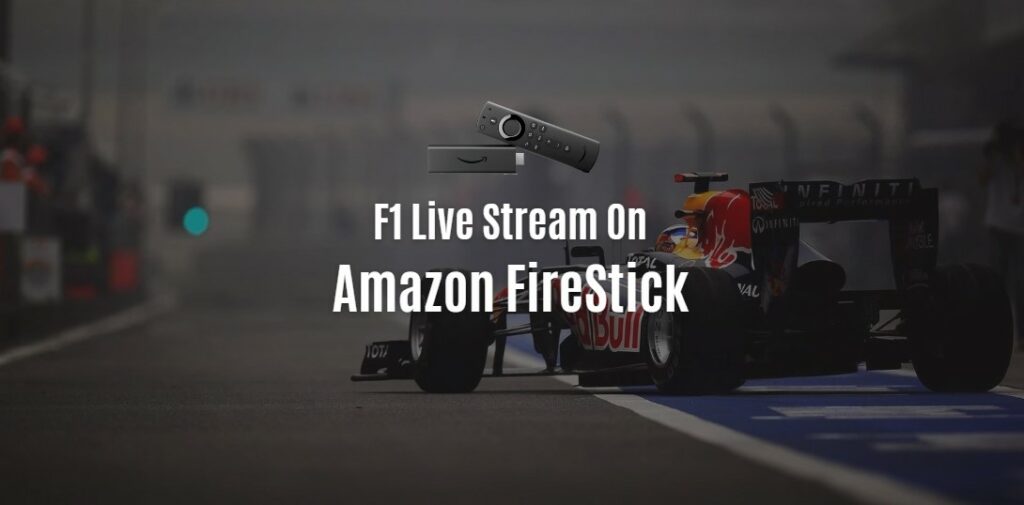
Formula 1 fans can watch F1 live on Firestick with multiple streaming services. You can choose any service which has F1 live coverage. Firestick users can watch Formula 1 on ESPN, Servus TV, FOX, RTBF, or any other channel with their preferred streaming service. The good news is that plenty of options are available for that! Here’s how:
Stream 2024 Formula 1 live races with F1 TV on FireStick
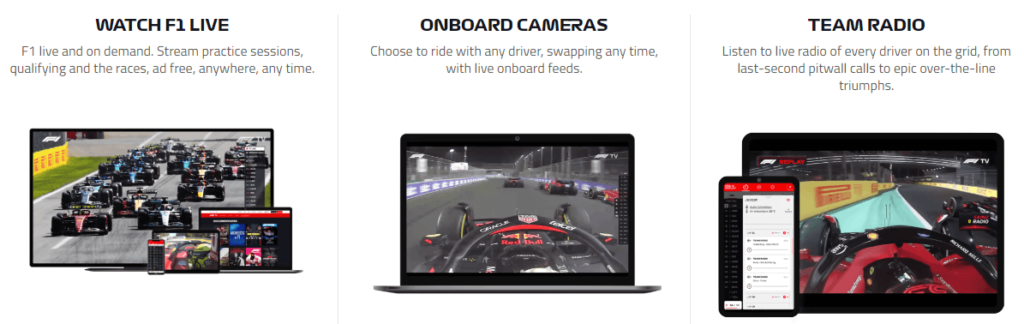
As a FireStick user, you can elevate your Formula 1 streaming experience by subscribing to F1 TV. F1 TV provides a comprehensive package, including live streams, exclusive F1 content, on-demand video, and other excellent features. With F1 TV Pro, you can enjoy every race live, with access to an extensive range of camera angles, onboard cameras, driver tracker tools, and more.
Furthermore, the F1 Insight feature allows you to access in-depth race analysis, giving you an edge over other viewers. This app is available on the Amazon App Store and supports English, French, German, Spanish, Italian, Portuguese and Dutch.
| Criteria | F1 Access | F1 TV Pro |
|---|---|---|
| Live race coverage | No live races, only race highlights | Live coverage of all races, qualifying sessions, and practice sessions |
| Access to onboard cameras | No | Yes |
| Live timing and telemetry | No | Yes |
| Access to F1 archives | No | Yes, including classic races and documentaries |
| Number of devices | One device at a time | Two devices at a time |
| Price (per year) | $27.99 | $79.99 |
Stream 2024 Formula 1 live races with ESPN+ on FireStick
If you’re a sports fan in the US, then ESPN is your go-to option for watching Formula 1 races live on your Firestick device. ESPN also offers access to a library of on-demand content, including classic races, sports documentaries, and more. With ESPN, you can stream live coverage of F1 races in HD quality, which is what every racing fan looks for!
Stream 2024 Formula 1 live races with Hulu+ Live TV on FireStick
Watching F1 races live on your firestick has never been easier. With Hulu, you can watch Formula 1 races in the comfort of your own home.
By subscribing to either Hulu’s Live TV or Hulu + Live TV packages, you not only get access to their extensive library of on-demand content but also over 50 channels of live TV – including ESPN, NBCSports and Fox Sports 1.
You can also access HDTV on your Firestick so that you never miss a single F1 race. Once subscribed to Hulu, launch the app on your Firestick device and enjoy multiple Formula 1 Live Stream streams.
Stream 2024 Formula 1 live races with Sky Sports on FireStick
Racing fans can access live coverage of every race of Formula 1 from the comfort of their own homes using Sky Sports using their Amazon FireStick device. It also offers access to archived videos and highlights and a range of in-depth interviews with drivers and team personnel.
Stream 2024 Formula 1 live races with Fubo TV on FireStick

With FuboTV, you can watch live streams of all your favourite Formula 1 races and events wherever you are on your firestick device. Plus, you can catch up on replays of past races and get access to exclusive FuboTV-only content. And with a subscription, you’ll also have access to over 100 other sports channels worldwide.
To start watching Formula 1 on FuboTV, sign up for a subscription plan and start streaming. You’ll get access to all the races available on FuboTV and hundreds of other sports channels. Plus, you can watch from devices like your laptop, phone, tablet or TV.
Watch Formula 1 on FireStick For Free Using Downloader
To watch 2024 Formula 1 on a FireStick, first download the Rapid Streamz Sports app using the downloader. This app is simple to install and user-friendly.
Before streaming, ensure you have ExpressVPN installed and connected to the Costa Rica Server for smooth access to the app and to keep your online activities private from ISPs. Follow these steps to start watching Formula 1 on FireStick using the downloader:
- Go to Settings > My Fire TV > Developer Options > Enable Apps from Unknown Sources.
- Install the Downloader app from the Amazon Store.
- Open Downloader, enter the URL/code for Rapid Streamz, and download the app.
- Install Rapid Streamz and delete the APK file to free up space.
- Open ExpressVPN, connect to Costa Rica Server.
- Find Rapid Streamz in Apps, select “Motor Sports” twice.
- Enjoy streaming the live Formula 1 race!
Watch Formula 1 on FireStick For Free with Silk Browser
This method allows you to watch Formula One on your FireStick device using the Amazon Silk Browser through free sports streaming websites.
However, before proceeding, it’s essential to install and use ExpressVPN on FireStick. Free websites often don’t broadcast officially, necessitating a VPN to conceal your online activity. Follow the steps outlined below:
- Download and connect to the US Server using the ExpressVPN app.
- Navigate to the FireStick Home screen.
- Select the Find tab.
- Choose the Search option.
- Type “Internet” in the search bar and select from the list.
- Select the Internet App (Silk Browser).
- Tap the Get/Download button and wait for the browser installation to finish.
- Open the browser once installation is complete.
- Click on “Accept Terms” to access the browser.
- Enter the URL “dlhd.sx” in the URL bar and click Go.
- Navigate to 24/7 Channels.
- Click “Leave Page”.
- Search for ESPN USA/TSN/Canal Plus/Servus TV/RTBF and select it.
- Click “Leave Page”.
- Now you can stream the channels live, including Formula 1 races when they are broadcast live on official channels.
Free & Paid Channels to watch 2024 Formula 1 lie on FireStick
| Country | Free Channels | Pay Channels |
|---|---|---|
| Australia | Network 10 (Australian GP) | Fox Sports (all races live) |
| United States | ABC (select races) | ESPN (majority live) |
| United Kingdom | Channel 4 (British GP) | Sky Sports F1 (all races live) |
| Germany | RTL (selected races) | Sky Sports F1 (all races live) |
| France | – | Canal+ (selected races in UHD) |
| Italy | – | Sky Sports F1 (all races in Ultra HD) |
| Brazil | TV Bandeirantes (live races) | BandSports |
| Canada | – | RDS and TSN |
| Spain | – | DAZN (live coverage for all sessions) |
| Japan | – | Fuji TV Next; Abema (Sky Sports F1 coverage) |
| Austria | ORF (12 races live), Servus TV (12 races live) | Sky Sports F1 |
| Belgium | VRT; Tipik (All races) & La Une Select races (RTBF) | Play Sports |
F1 2024 Race Schedule: Calendar, Dates, Venue, & Circuit
| Date | Grand Prix | Circuit, Venue |
|---|---|---|
| 21-23 Feb 2024 | Pre-Season Testing | Sakhir, Bahrain |
| 29 Feb – 2 Mar | Formula 1 Gulf Air Bahrain Grand Prix 2024 | Bahrain International Circuit, Bahrain |
| 7-9 Mar 2024 | Formula 1 STC Saudi Arabian Grand Prix 2024 | Jeddah Street Circuit, Saudi Arabia |
| 22-24 Mar 2024 | Formula 1 Rolex Australian Grand Prix 2024 | Albert Park, Melbourne, Australia |
| 5-7 Apr 2024 | Formula 1 MSC Cruises Japanese Grand Prix 2024 | Suzuka International Racing Course, Japan |
| 19-21 Apr 2024 | Formula 1 Lenovo Chinese Grand Prix 2024 | Shanghai International Circuit, China |
| 3-5 May 2024 | Formula 1 Crypto.com Miami Grand Prix 2024 | Miami International Autodrome, United States |
| 17-19 May 2024 | Formula 1 MSC Cruises Gran Premio dell’Emilia-Romagna 2024 | Imola, Italy |
| 24-26 May 2024 | Formula 1 Grand Prix de Monaco 2024 | Circuit de Monaco, Monte Carlo |
| 7-9 Jun 2024 | Formula 1 Grand Prix du Canada 2024 | Circuit Gilles Villeneuve, Montreal, Canada |
| 21-23 Jun 2024 | Formula 1 Aramco Gran Premio de España 2024 | Circuit de Barcelona-Catalunya, Spain |
| 28-30 Jun 2024 | Formula 1 Qatar Airways Austrian Grand Prix 2024 | Red Bull Ring, Spielberg, Austria |
| 5-7 Jul 2024 | Formula 1 Qatar Airways British Grand Prix 2024 | Silverstone Circuit, United Kingdom |
| 19-21 Jul 2024 | Formula 1 Hungarian Grand Prix 2024 | Hungaroring, Budapest, Hungary |
| 26-28 Jul 2024 | Formula 1 Rolex Belgian Grand Prix 2024 | Circuit de Spa-Francorchamps, Belgium |
| 23-25 Aug 2024 | Formula 1 Heineken Dutch Grand Prix 2024 | Zandvoort, Netherlands |
| 30 Aug – 1 Sep | Formula 1 Pirelli Gran Premio d’Italia 2024 | Autodromo Nazionale Monza, Italy |
| 13-15 Sep 2024 | Formula 1 Qatar Airways Azerbaijan Grand Prix 2024 | Baku City Circuit, Azerbaijan |
| 20-22 Sep 2024 | Formula 1 Singapore Airlines Singapore Grand Prix 2024 | Marina Bay Street Circuit, Singapore |
| 18-20 Oct 2024 | Formula 1 Pirelli United States Grand Prix 2024 | Circuit of the Americas, Austin, United States |
| 25-27 Oct 2024 | Formula 1 Gran Premio de la Ciudad de México 2024 | Autódromo Hermanos Rodríguez, Mexico City |
| 1-3 Nov 2024 | Formula 1 Lenovo Grande Prêmio de São Paulo 2024 | Interlagos, São Paulo, Brazil |
| 21-23 Nov 2024 | Formula 1 Heineken Silver Las Vegas Grand Prix 2024 | Las Vegas Street Circuit, United States |
| 29 Nov – 1 Dec | Formula 1 Qatar Airways Qatar Grand Prix 2024 | Losail International Circuit, Qatar |
| 6-8 Dec 2024 | Formula 1 Etihad Airways Abu Dhabi Grand Prix 2024 | Yas Marina Circuit, Abu Dhabi |
The Official F1 Teams For 2024
Ten teams participate in every Formula 1 season, with two drivers in each squad, currently making 20 drivers and 10 teams. The 2024 season of Formula 1 will showcase the following teams and drivers.
| Team | Driver 1 | Driver 2 |
|---|---|---|
| Mercedes | George Russell | Lewis Hamilton |
| Alpine | Esteban Ocon | Pierre Gasly |
| Haas F1 Team | Kevin Magnussen | Nico Hulkenberg |
| McLaren | Oscar Piastri | Lando Norris |
| Red Bull Racing | Max Verstappen | Sergio Perez |
| Aston Martin | Lance Stroll | Fernando Alonso |
| Alpha Tauri | Nyck de Vries | Yuki Tsunoda |
| Ferrari | Charles Leclerc | Carlos Sainz |
| Alfa Romeo | Valtteri Bottas | Guanyu Zhou |
| Williams | Alexander Albon | Logan Sargent |
2024 Emilia Romagna Grand Prix – Preview
The 2024 Emilia-Romagna Grand Prix, taking place from May 17 to May 19 at Imola, is the seventh round of the Formula 1 season. This event will occur on a 4.9-kilometer, 19-turn track that has been a Formula 1 staple since 1980. The race weekend features three practice sessions, qualifying, and the main grand prix covering 63 laps. In addition to the Formula 1 races, fans can enjoy support races from Formula 2, Formula 3, and Porsche Supercup.
Max Verstappen has secured a pole position for the Grand Prix, promising an exciting race. Imola, with its rich history in Formula 1, has been the site of many classic races and significant moments since rejoining the calendar. The weekend schedule includes practice sessions on Friday, qualifying on Saturday, and the main event on Sunday, ensuring fans are fully immersed in the racing action.
Overall, the 2024 Emilia-Romagna Grand Prix at Imola promises to deliver an exhilarating weekend for both drivers and fans, with a packed schedule and a historic track that challenges even the most skilled racers.
Emilia Romagna GP 2024 Circuit Details
The Autodromo Internazionale Enzo e Dino Ferrari, known as Imola, has been a staple in motorsport since its foundation stone was laid in March 1950. Completed for testing by October 1952, the circuit began hosting races in 1953. Imola’s first encounter with Formula 1 was a non-championship race in 1963, and it officially hosted the Italian Grand Prix in 1980 after negotiations with Monza. From 1981, Imola became the home of the San Marino Grand Prix, hosting 27 Grands Prix until 2006, and it returned to the F1 calendar in 2020 as the Emilia-Romagna Grand Prix venue.
The circuit is renowned for its challenging and exciting layout. Pierre Gasly described his testing experience at Imola in 2020 as one of his best in an F1 car, while Daniil Kvyat highlighted the thrill of navigating corners like Acque Minerali. The track’s anti-clockwise orientation and old-school design provide a high-speed, adrenaline-pumping experience, especially through iconic sections such as Acque Minerali and Piratella.

Autodromo Enzo e Dino Ferrari
- First Grand Prix: 1980
- Number of Laps: 63
- Circuit Length: 4.909km
- Race Distance: 309.049 km
- Lap Record: 1:15.484 Lewis Hamilton (2020)
Located in a picturesque region, Imola offers more than just racing. It’s close to the Tuscan hills, Adriatic beaches, and culinary hotspots like Bologna, Parma, and Modena. Nearby Maranello, the headquarters of Ferrari, adds to the allure for F1 enthusiasts. Additionally, Imola holds historical significance as the site where Ayrton Senna and Roland Ratzenberger tragically lost their lives in 1994, making it a place of homage for fans.
For spectators, the stand on the outside of Acque Minerali offers a prime viewing spot, showcasing the skill and speed of F1 cars as they navigate the demanding right-hander and accelerate towards the Variante Alta chicane.
Emilia Romagna GP Scheule 2024
| Day | Event | Time (Local) |
|---|---|---|
| Friday, 17th May | FIA Formula 3 Practice Session | 09:55 – 10:40 |
| FIA Formula 2 Practice Session | 11:05 – 11:50 | |
| FIA F1 Car Presentation | 12:00 – 13:00 | |
| Paddock Club Track Tour | 12:00 – 13:00 | |
| Paddock Club Pit Lane Walk | 12:00 – 13:00 | |
| Formula 1 First Practice Session | 13:30 – 14:30 | |
| Formula 1 Historic Car Demonstration | 14:40 – 15:00 | |
| FIA Formula 3 Qualifying Session | 15:05 – 15:35 | |
| Formula 1 Teams’ Press Conference | 15:30 – 16:30 | |
| FIA Formula 2 Qualifying Session | 16:00 – 16:30 | |
| Formula 1 Second Practice Session | 17:00 – 18:00 | |
| FIA Formula 3 Press Conference | 18:10 – 18:40 | |
| Porsche Mobil 1 Supercup Practice Session | 18:30 – 19:15 | |
| FIA Formula 2 Press Conference | 18:45 – 19:15 | |
| Paddock Club Track Tour | 19:25 – 20:15 | |
| Paddock Club Pit Lane Walk | 19:25 – 20:15 | |
| Saturday, 18th May | FIA Formula 3 Sprint Race (18 Laps or 40 Mins +1 Lap) | 10:05 – 10:50 |
| FIA Formula 3 Press Conference | 11:10 – 11:40 | |
| Porsche Mobil 1 Supercup Qualifying Session | 11:20 – 11:50 | |
| Formula 1 Team Pit Stop Practice | 11:55 – 12:25 | |
| Formula 1 Third Practice Session | 12:30 – 13:30 | |
| FIA Formula 2 Sprint Race (25 Laps or 45 Mins +1 Lap) | 14:15 – 15:05 | |
| Paddock Club Track Tour | 15:10 – 15:40 | |
| FIA Formula 2 Press Conference | 15:25 – 15:45 | |
| Formula 1 Qualifying Session | 16:00 – 17:00 | |
| Formula 1 Press Conference | 17:00 – 18:00 | |
| Formula 1 Historic Car Demonstration | 17:15 – 17:35 | |
| Paddock Club Pit Lane Walk | 17:20 – 18:45 | |
| Paddock Club Track Tour | 17:40 – 18:45 | |
| Sunday, 19th May | FIA Formula 3 Feature Race (22 Laps or 45 Mins +1 Lap) | 08:30 – 09:20 |
| FIA Formula 2 Feature Race (35 Laps or 60 Mins +1 Lap) | 10:00 – 11:05 | |
| FIA Formula 2 Press Conference | 11:25 – 11:55 | |
| Porsche Mobil 1 Supercup Race (14 Laps or 30 Mins) | 11:45 – 12:20 | |
| Formula 1 Historic Car Demonstration | 12:30 – 12:50 | |
| Paddock Club Track Tour | 12:55 – 13:40 | |
| Paddock Club Pit Lane Walk | 12:55 – 13:55 | |
| Formula 1 Drivers’ Parade | 13:00 – 13:30 | |
| Formula 1 Senna Historic Car Demonstration | 13:40 – 13:55 | |
| Formula 1 National Anthem | 14:46 – 14:48 | |
| Formula 1 Grand Prix (63 Laps or 120 Mins) | 15:00 – 17:00 |
Frequently Asked Questions
Are all F1 races available to watch on my Firestick?
It depends on which streaming service you are using and your subscription type. Some services may only offer live coverage of select races, while others may have a more extensive selection of on-demand content for viewing.
Can I watch F1 races in HD on my Firestick?
Yes, most streaming services that offer F1 coverage should allow you to watch the races in HD on your Firestick. However, the quality of the stream may depend on your internet connection and the speed of your device.
Do I need a particular Firestick device to watch F1 races?
No, you should be able to watch F1 races on any Amazon Firestick device. However, you may need to ensure that your device is up to date and has sufficient storage space to run the streaming app you will be using.
Are there any additional fees for watching F1 races on my Firestick?
It depends on which streaming service you are using. Some services, such as ESPN+, may require a monthly subscription fee, while others offer a free trial period. You may also need to pay for any additional content, such as race replays or highlights, that you purchase on a video-on-demand service.
Can I watch Formula 1 races on-demand on Firestick?
Yes, by using the F1 TV app on Firestick, you can access on-demand replays of all races and exclusive content and highlights.
Can you watch F1 on Firestick?
Yes, yu can watch F1 on FireStick with F1 TV, Sling, ESPN or other apps
Related Posts:



![Here’s How to Watch Sky Sports On Firestick For Free [May 2024]](https://thesportsgen.com/wp-content/uploads/2023/02/Skysports-on-firestick-120x86.png)